
See every open quote
Know which landscaping jobs are still waiting on a decision.
Feature page for open landscaping quotes
This page is about open quote visibility and manual follow-up consistency. It does not claim automation, customer activity analytics, or scheduled reminder delivery.
The goal is simpler: keep the quote visible, review the context, and know the next manual action before the job goes cold.
Know which landscaping jobs are still waiting on a decision.
Review the scope and options before you call or send a message.
Use a repeatable review process instead of hoping you remember later.
Once the customer decides, the quote is still there as your reference point.
Product proof
See the visible workflow for quote tracking: quote details, open status, and the quote record used for manual follow-up.
Screenshots show real parts of Soleify. Example names and job details are illustrative only.
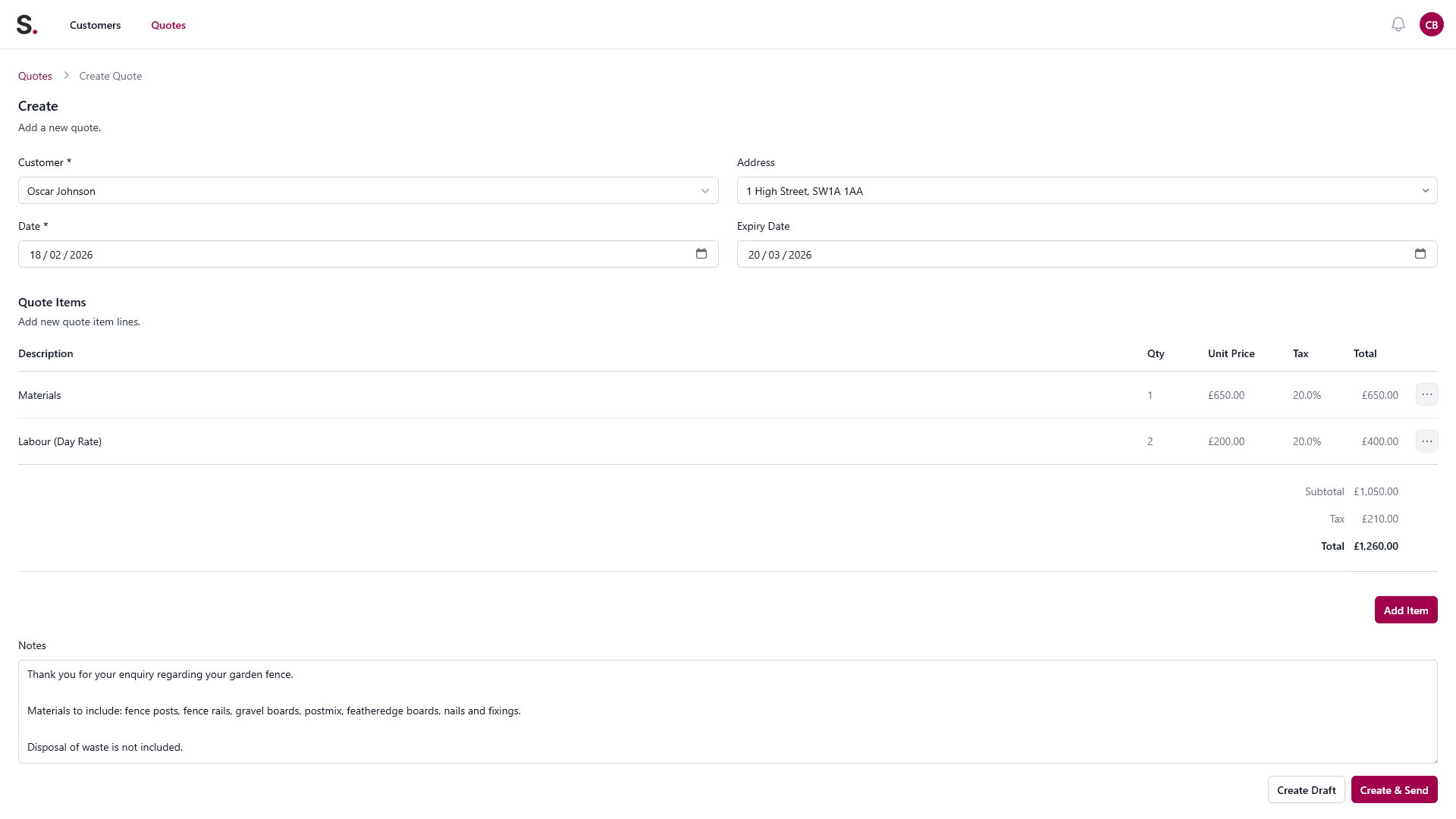
Quote builder view
Add the customer, itemise the work, and keep the measurements, materials, and job details together instead of rebuilding them from texts later.
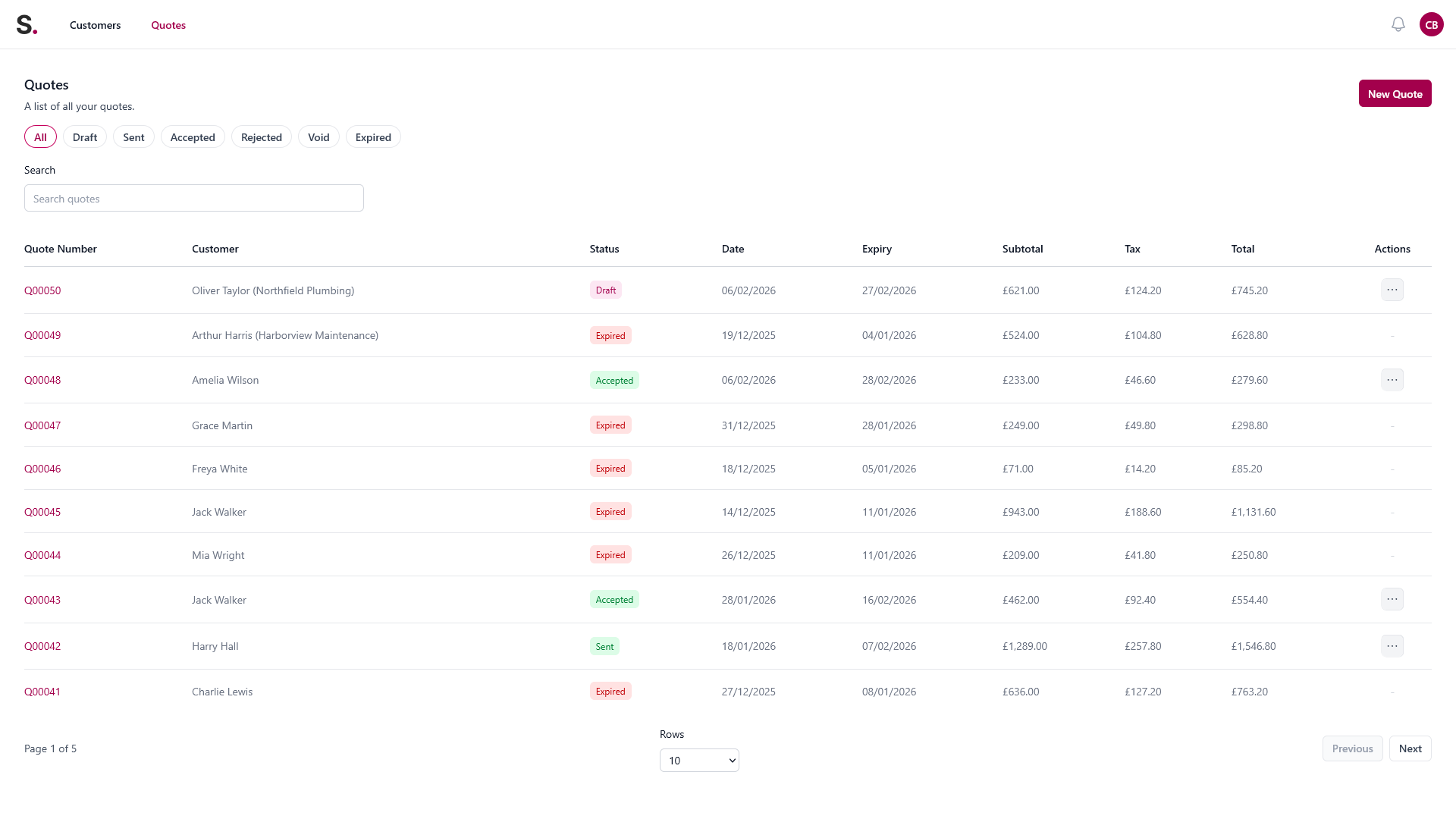
Open quote tracking
See quote status in one place so follow-ups do not depend on memory, scraps of paper, or scrolling back through WhatsApp.
Quote workflow screen
The same quote workflow keeps quote status and the next manual admin step visible without relying on memory or scattered notes.
Sample workflow screen only. Names and job details are illustrative.
You quote a new patio with an optional planting upgrade. The customer needs a few days to decide on the final scope.
The quote disappears into email and you rely on memory to remember when to check back.
The quote stays visible with the customer and scope detail, so the next manual follow-up is easier to handle.