
Quote clearly first
Keep the accepted landscaping scope readable from the start.
Feature page for accepted landscaping work
The public claim here is narrow: when a customer accepts a quote, the accepted scope should still be available as the starting point for invoicing.
This page does not claim customer approval tooling, money collection, automated reminders, or accounting-platform replacement.
Keep the accepted landscaping scope readable from the start.
Useful when the customer chose between staged or optional scope.
Start invoicing from the quote detail you already organised.
Reduce the need to rewrite the same customer and job detail again.
Product proof
See the visible quote workflow that supports accepted-scope reuse without broader automation claims.
Screenshots show real parts of Soleify. Example names and job details are illustrative only.
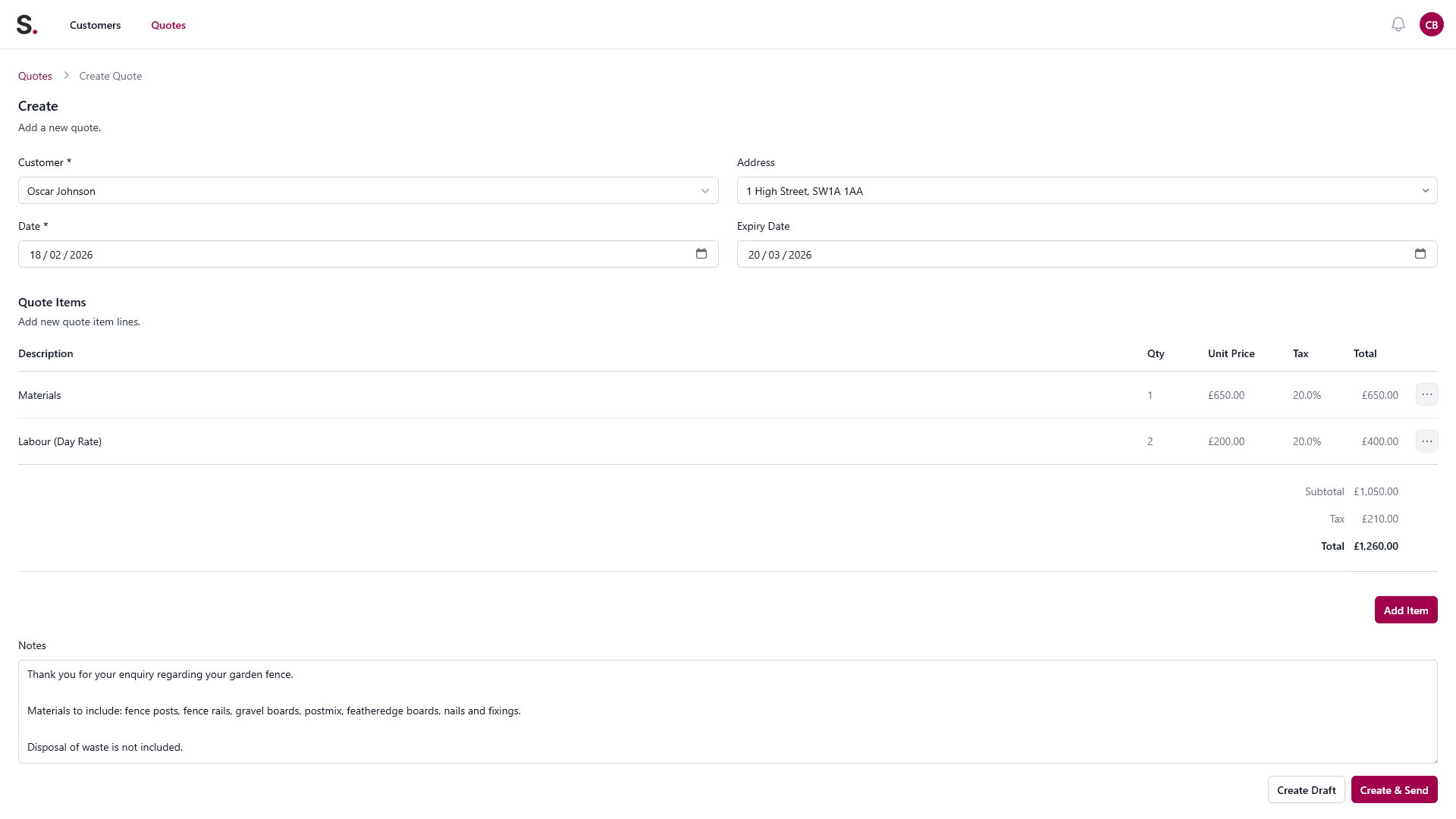
Quote builder view
Add the customer, itemise the work, and keep the measurements, materials, and job details together instead of rebuilding them from texts later.
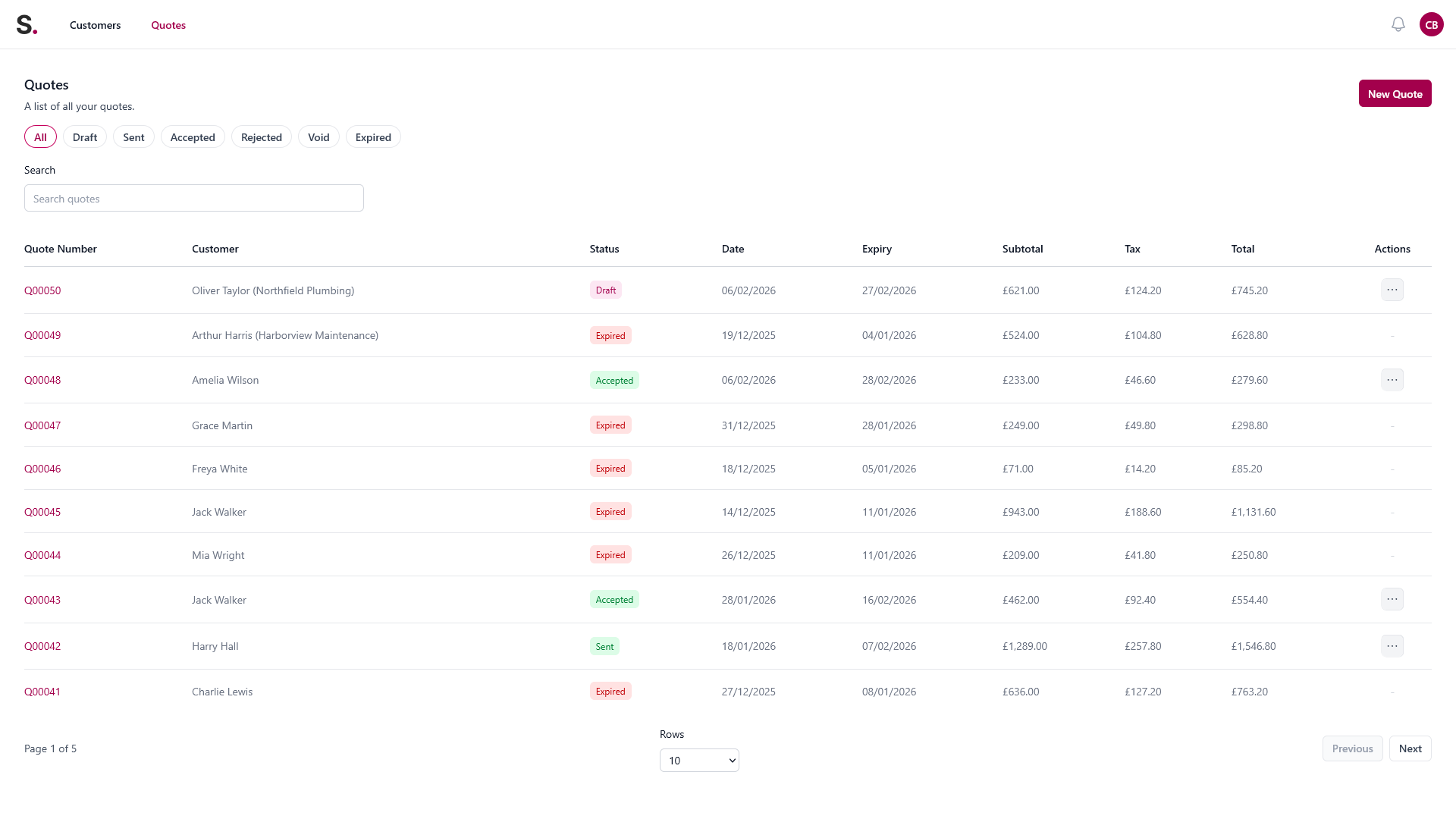
Open quote tracking
See quote status in one place so follow-ups do not depend on memory, scraps of paper, or scrolling back through WhatsApp.
Quote workflow screen
The same quote workflow keeps quote status and the next manual admin step visible without relying on memory or scattered notes.
Sample workflow screen only. Names and job details are illustrative.
You quote a patio, edging, and planting package. The customer accepts the base scope and decides to leave the lighting upgrade out.
You reopen old notes and rewrite the accepted version again, with more room for mismatch.
The accepted quote stays as the starting point, so the move into invoicing is more consistent.