
Quote room by room
Make it easier for the customer to see what is included in each space and surface.
Painter and decorator quoting software for UK tradespeople
Decorating quotes get messy when the customer wants walls, ceilings, woodwork, prep, primer, different finish options, and maybe a second version with extra rooms included.
Soleify helps you send a cleaner quote after the visit, keep open decorator quotes visible, follow up before the customer goes quiet, and use the accepted scope as the basis for invoicing.
It is designed for the quoting and follow-up side of small decorating businesses, not for running a broader field-service workflow.
A decorating quote needs much more than one line that says "paint room".
That is why many decorators end up rewriting notes late at night, then still need to answer questions about what the quote actually included.
A clear quote and a clear follow-up process matter more than a larger job-management platform if quoting is the real bottleneck.
Soleify keeps the quote tidy, the open status visible, and the accepted scope ready for the next admin step.
Make it easier for the customer to see what is included in each space and surface.
Separate prep, primer, finishing coats, and woodwork so there is less confusion later.
Useful when customers want one version for base scope and another with more included.
See which decorator quotes still need attention instead of relying on memory.
Give each quote a clearer next step while the customer is still comparing options.
Use the approved scope as the basis for invoicing instead of rebuilding the job line by line.
Product proof
See how Soleify keeps decorator quotes itemised, leaves alternate scope easier to track, and keeps open follow-ups visible.
Screenshots show real parts of Soleify. Example names and job details are illustrative only.
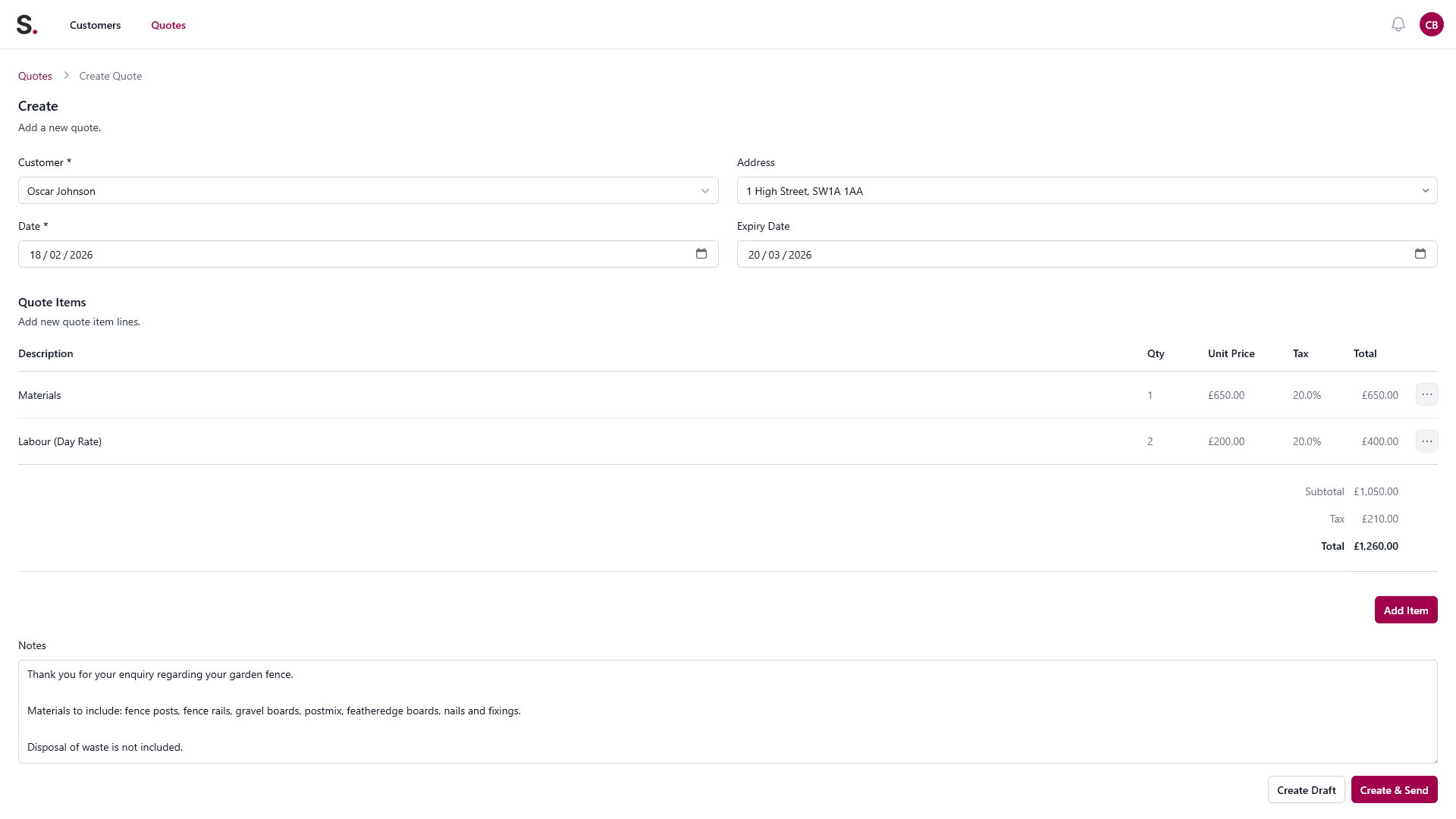
Quote builder view
Add the customer, itemise the work, and keep the measurements, materials, and job details together instead of rebuilding them from texts later.
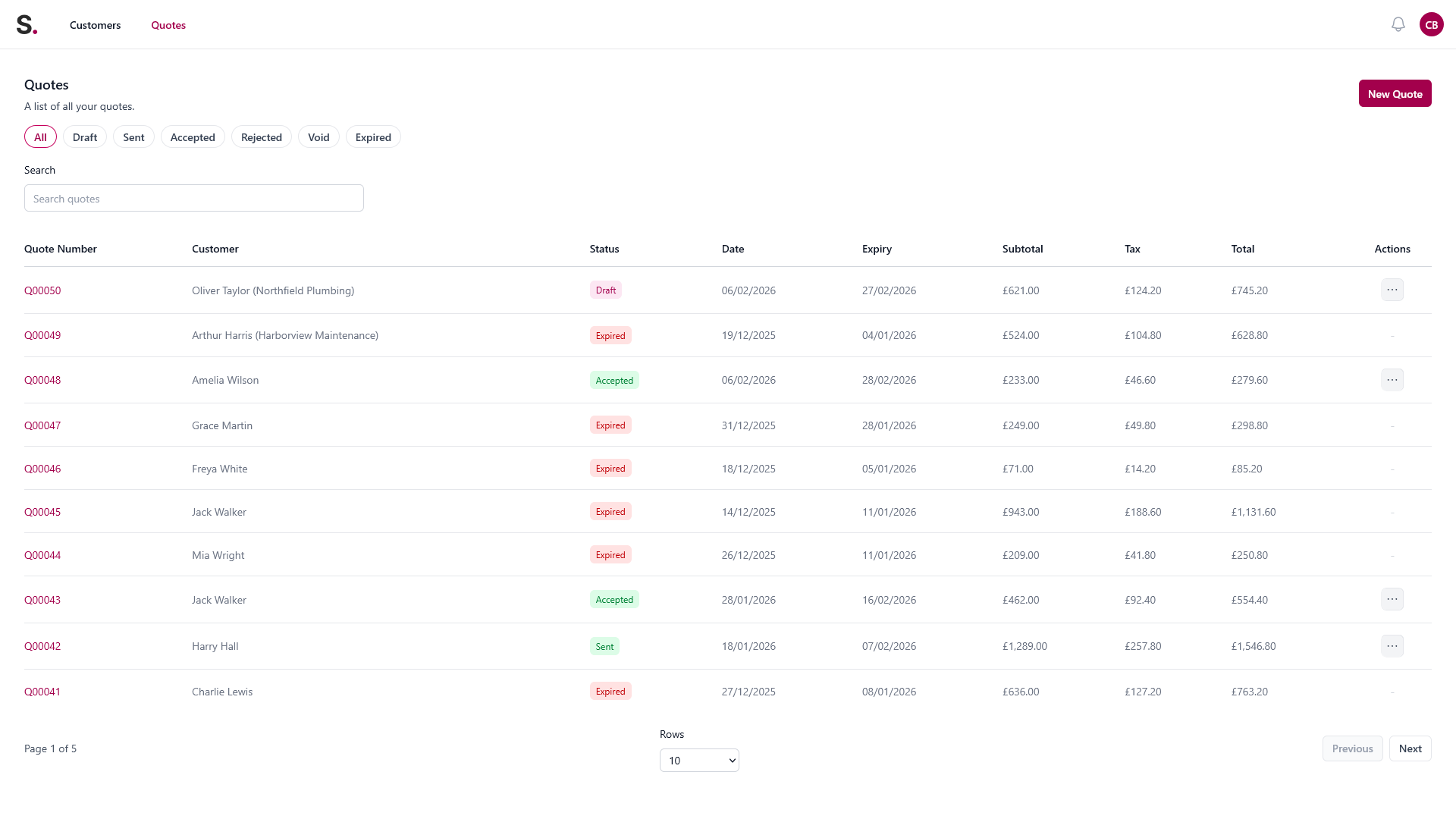
Open quote tracking
See quote status in one place so follow-ups do not depend on memory, scraps of paper, or scrolling back through WhatsApp.
You price a lounge, hallway, and stairs. The customer wants one quote for walls and ceilings, and another that adds woodwork and extra prep to damaged areas.
Store the customer, room list, prep detail, and protection notes while they are still fresh.
Separate prep, surfaces, coats, and the optional woodwork version so the scope stays easy to compare.
If the customer needs time to compare versions, the quote still stays visible for follow-up.
Once the customer confirms the chosen version, use that accepted quote for invoicing.
Illustrative only. The quote should make the surfaces, prep, and alternates easy to understand.
Yes. That is useful when customers want one scope for walls and ceilings and another that adds woodwork or extra rooms.
Yes. Prep is often where confusion starts, so it helps to make it visible instead of implied.
No. It focuses on quoting, open quote tracking, follow-up, and invoicing for smaller trade businesses.
Yes. Soleify is designed to help you see which quotes are still open so you can follow up before they fade out.
Keep room scope, prep, open quotes, follow-ups, and invoicing in one cleaner process.